
2.4 KiB
Pattern filling with OpenSCAD
This OpenSCAD module provides the required mechanisms to spray a pattern on a surface.
Possible usages
Patterns are widely used in common objects, and so are the possible usages of this module:
- alveolar reinforcement
- moucharabieh
- decorative patterns
- surface texturing
Examples
In the examples folder, common examples are provided to illustrate what can be achieved and how to use this module.
How to use it
First, you will need to get a copy of this module locally:
git clone https://github.com/nmasse-itix/OpenSCAD-Pattern-Filling.git
In your OpenSCAD file, include this module:
use <OpenSCAD-Pattern-Filling/pattern.scad>
Then, build your base shape (in this example, an octogon and a square):
module mypattern(r) {
  // The octogon
  rotate([0,0,22.5])
    circle(r=r, center=true, $fn=8);

  // The square
  l = 2 * r * sin(22.5);
  translate([r,r,0])
    rotate([0,0,45])
      square([l,l], center=true);
}
Instanciate it once, in order to check it matches your expectations:
r = 2;
mypattern(r);
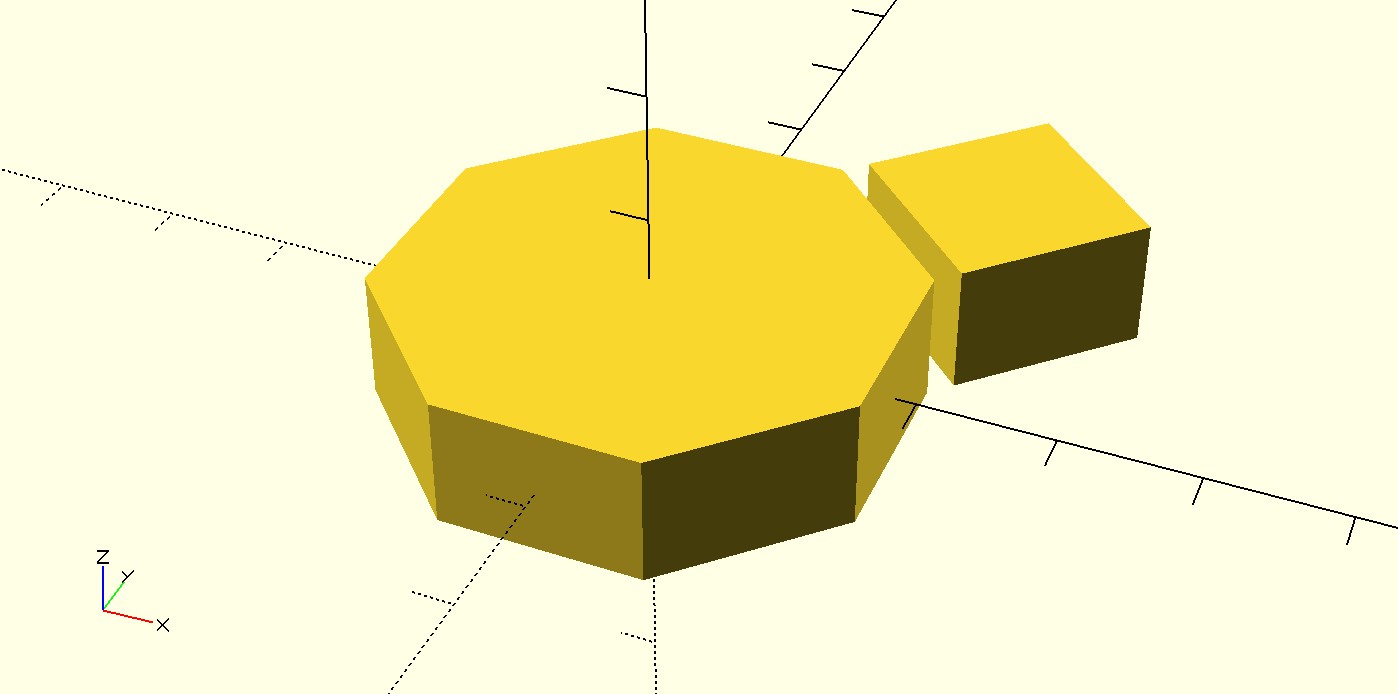
Then, you need to define two things:
- a bounding box (the area to spray)
- the two moves defining how to spray our pattern
bounding_box = [
  [0,0],     // Lower left corner
  [20, 20]   // upper right corner
];
moves = [
  [ 2*r, 0], // For the first move, we will translate on x by two times the radius
  [ 0, 2*r], // For the second move, we will translate on y by two times the radius
];
Finally, the pattern can be sprayed:
spray_pattern(bounding_box, moves)
  mypattern(r);
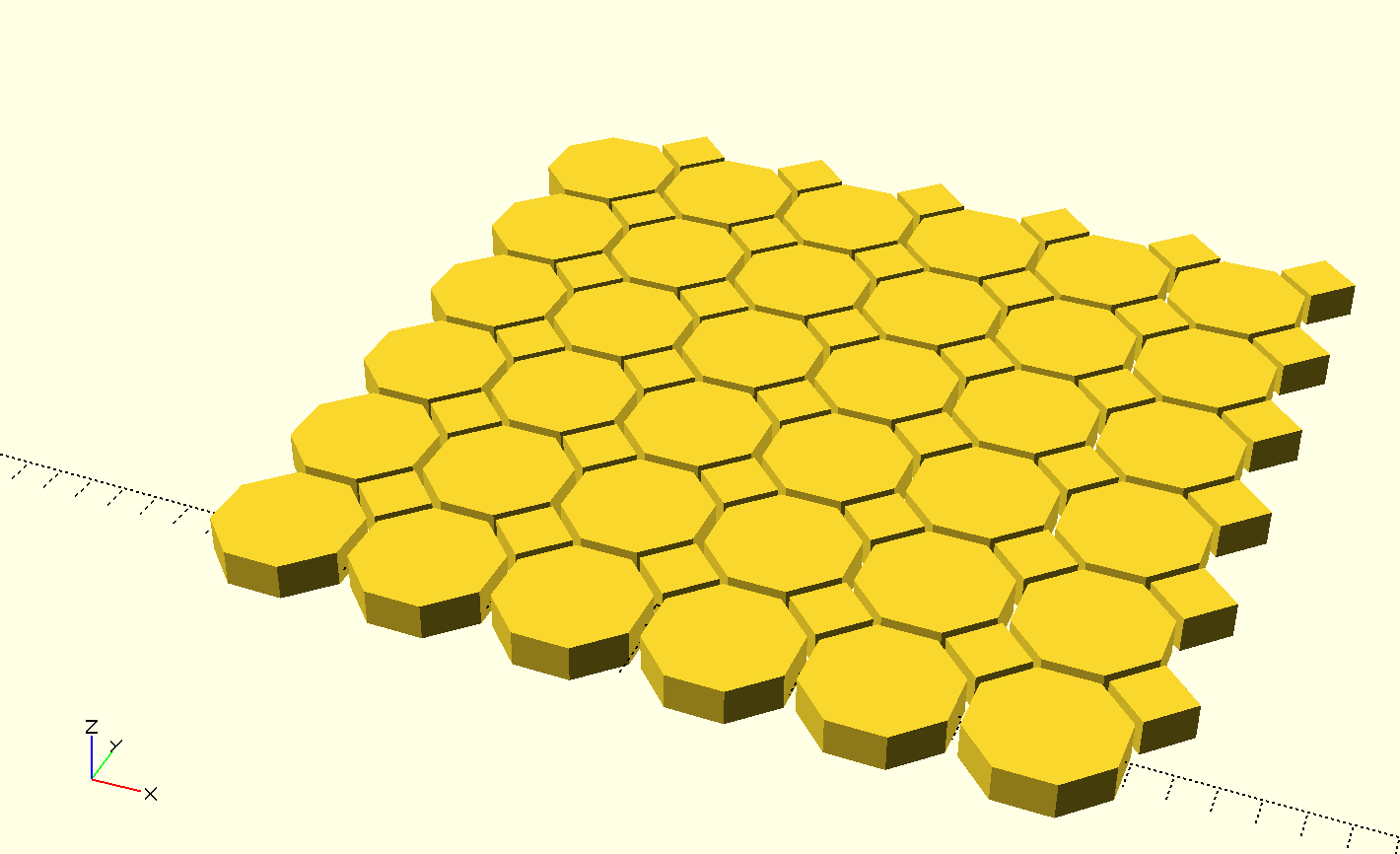
If you like clean edges, you can cut the sprayed pattern at bounding box size by intersecting the pattern with the bounding box:
intersection() {
  spray_pattern(bounding_box, moves)
    mypattern(r);
  square(bounding_box[1] - bounding_box[0]);
}
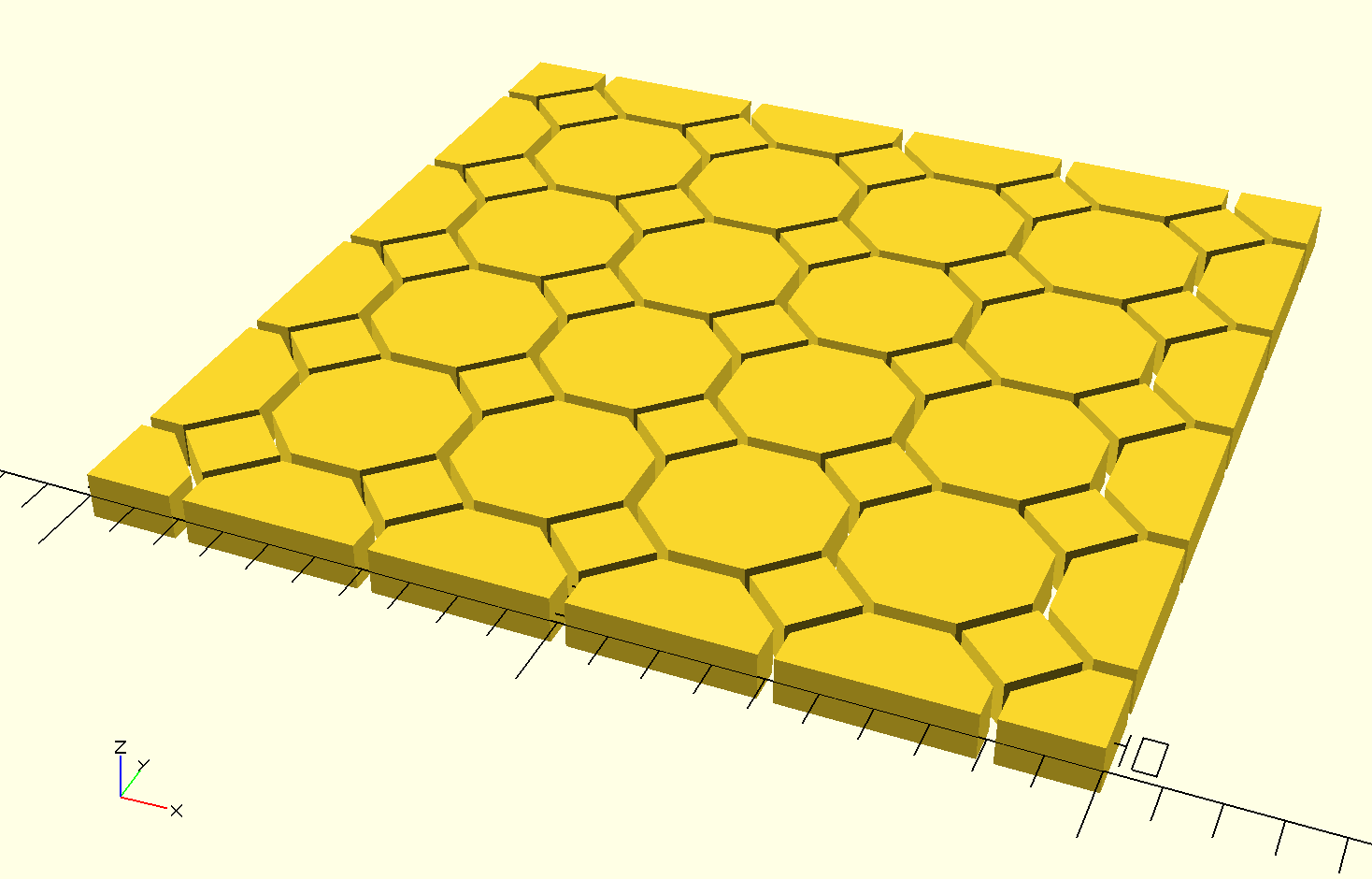
Check the complete source code for more information.
Limitations
Currently, the first move needs to be exclusively on the x axis otherwise the pattern may not be sprayed correctly, leaving blank area.