
 Nicolas Massé
0c629151e4
Nicolas Massé
0c629151e4
|
7 years ago | |
|---|---|---|
| openshift-ansible@af96f82881 | 7 years ago | |
| playbooks | 7 years ago | |
| roles | 7 years ago | |
| .gitignore | 10 years ago | |
| .gitmodules | 8 years ago | |
| LICENSE | 10 years ago | |
| README.md | 7 years ago | |
| ansible.cfg | 9 years ago | |
| bootstrap.yml | 9 years ago | |
| prod.hosts | 7 years ago | |
| test.hosts | 9 years ago | |
README.md
OpenShift-Lab
This project is my Ansible Playbook to install OpenShift on my Hetzner server.
Operating System install
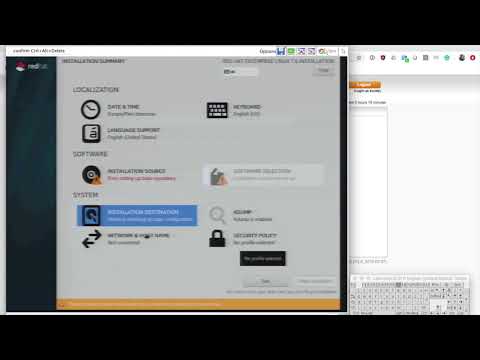
Go to access.redhat.com and download the boot ISO image of the latest RHEL 7.
Upload this ISO image to any large file transfer such as send.firefox.com or dl.free.fr.
Go to your Hetzner console, select your server and book a KVM (Support > Remote Console (KVM) > I would like to make an appointment). Choose a date, time and duration. For the duration, two hours should be enough.
In the message box, type something like:
Dear Hetzner Support team,

I would like to install RHEL 7 on my server. Could you please burn the following ISO image on a CD or prepare a USB Key accordingly for me ?

<Put the link to the ISO image here>

Many thanks for your help.

Best regards.
Click Send Request
At the specified timeframe, you should receive a mail containing the login details to connect to your KVM.
Open the KVM console. This is a Java applet, so make sure there is no security restriction on their execution.
Reboot your server using the Ctrl+Ald+Delete button.
When the bios shows up, press to enter the boot menu and boot from the CD or USB Key, according to the Hetzner instructions.
Getting a public certificates with Let's encrypt
On the Ansible control node, install lego:
brew install lego
Get a certificate for the wildcard domain as well as the master hostname:
GANDIV5_API_KEY=[REDACTED] lego -d openshift.itix.fr -d app.itix.fr -d '*.app.itix.fr' -a -m your.email@example.test --path $HOME/.lego --dns gandiv5 run
See this guide for more details.
Preparation
Register the server on RHN:
sudo subscription-manager register --name=openshift.itix.fr
sudo subscription-manager refresh
sudo subscription-manager list --available --matches '*Employee SKU*'
sudo subscription-manager attach --pool=8a85f9833e1404a9013e3cddf95a0599
Edit /etc/sysconfig/network-scripts/ifcfg-eno1 and add:
NM_CONTROLLED="yes"
PEERDNS="yes"
DOMAIN="itix.fr"
OpenShift Install
Create a file named group_vars/OSEv3, containing your secrets:
cat <<EOF > group_vars/OSEv3
---
# Generated on https://access.redhat.com/terms-based-registry/
oreg_auth_password: your.password.here
oreg_auth_user: '123|user-name'

openshift_additional_registry_credentials:
- host: registry.connect.redhat.com
  user: rhn-username
  password: rhn-password
  test_image: sonatype/nexus-repository-manager:latest

# see: https://github.com/nmasse-itix/OpenShift-Examples/tree/master/Login-to-OpenShift-with-your-Google-Account
openshift_master_identity_providers:
- name: RedHat
  login: true
  challenge: false
  kind: GoogleIdentityProvider
  clientID: your.client_id.apps.googleusercontent.com
  clientSecret: your.client_secret.here
  hostedDomain: redhat.com
EOF
Create a file named group_vars/all, containing your global variables:
cat <<EOF > group_vars/OSEv3
---
# The regular user account you created on your server
ansible_ssh_user: nicolas
EOF
Run the OpenShift install:
ansible-playbook -i prod.hosts playbooks/preparation.yml
ansible-playbook -i prod.hosts openshift-ansible/playbooks/deploy_cluster.yml
ansible-playbook -i prod.hosts playbooks/post-install.yml