
3.5 KiB
MTOM Server Code Setup
Pre-requisites
To make this sample code work, you need:
- Tomcat (tested against version 7)
- Axis2 (tested against version 1.6)
Get tomcat7 and install it in a tomcat folder.
$ wget http://www.eu.apache.org/dist/tomcat/tomcat-7/v7.0.62/bin/apache-tomcat-7.0.62.tar.gz && tar zxvf apache-tomcat-*.tar.gz && mv apache-tomcat-*/ tomcat
Get axis2 and install the axis2.jar in tomcat/webapps/axis2
$ cd tomcat/webapps
$ wget http://www.eu.apache.org/dist//axis/axis2/java/core/1.6.2/axis2-1.6.2-war.zip && unzip axis2-1.6.2-war.zip axis2.war
$ cd ..
$ ./bin/startup.sh
Build
Build the .aar archive and deploy it.
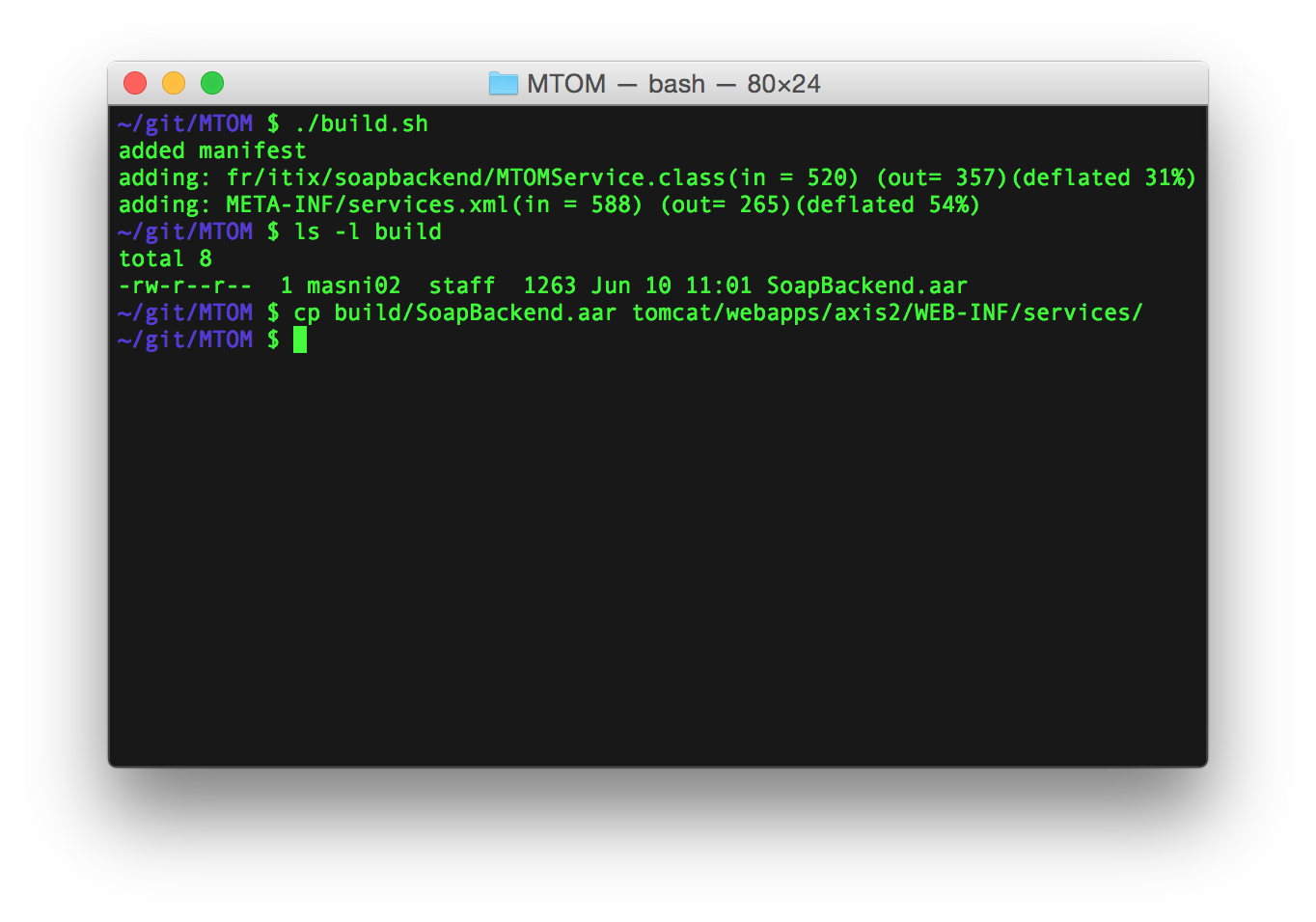
Change the Axis Configuration to enable MTOM
Edit the Axis2 configuration file: tomcat/webapps/axis2/WEB-INF/conf/axis2.xml and set the enableMTOM parameter to true.
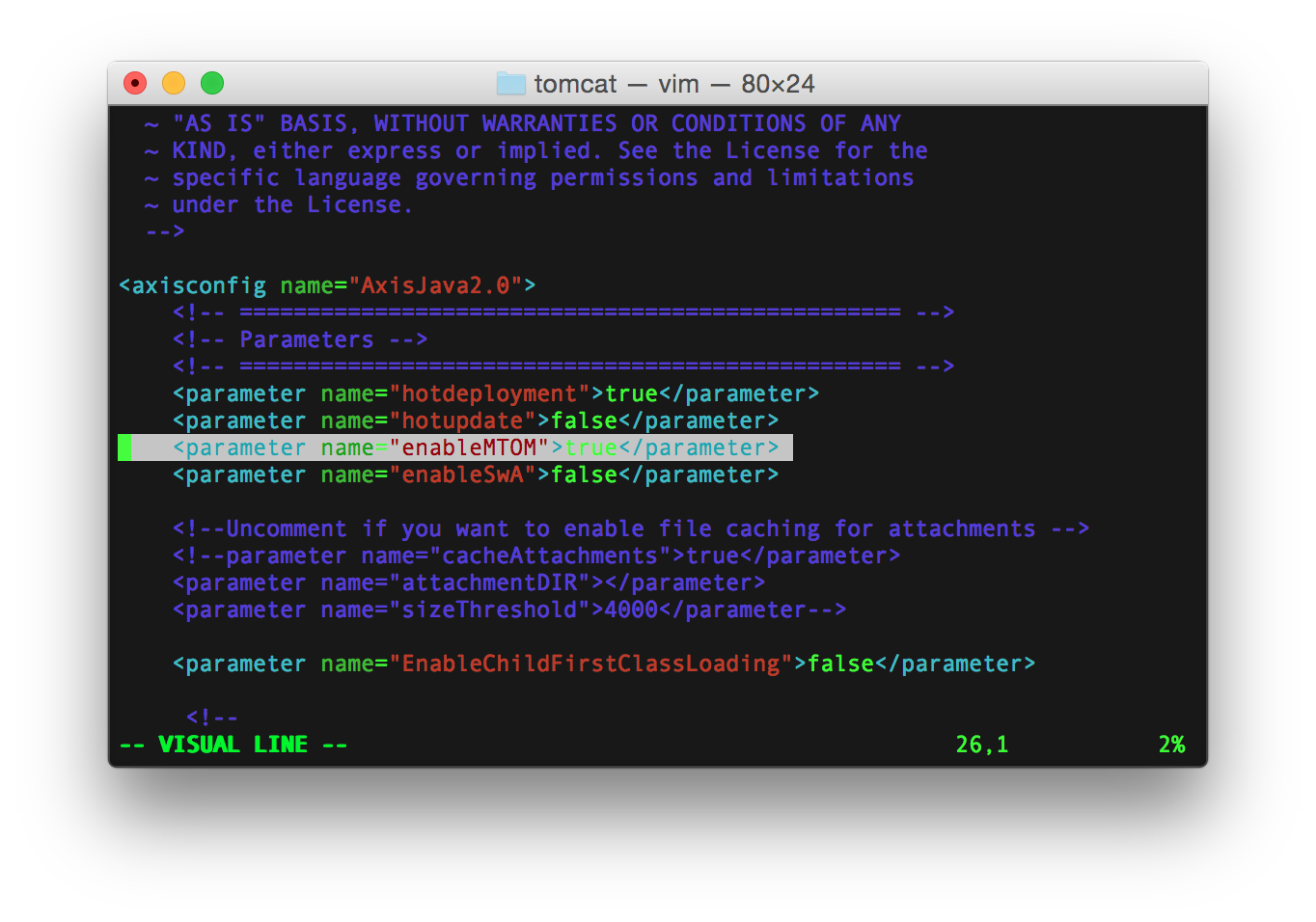
DO NOT FORGET TO RESTART TOMCAT !!!
Test the MTOM attachment
Retrieve the WSDL
Make sure Tomcat is started and the .aar archive is deployed. Then go to http://localhost:8080/axis2/services/listServices.
Click on the MTOMService to get the WSDL.
Note: make sure you save the file in its original format (File > Save As...). Do not use copy paste that may break the XML format.
Just in case, you can find a copy of the WSDL here.
Test in SOAP UI
- Get SOAP UI (tested with version 5)
- Import the WSDL
- Open the auto-generated request for the
MtomServiceSoap12Bindingbinding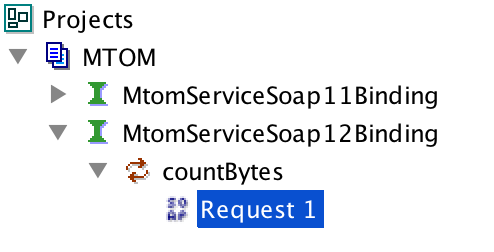
- Make sure
Enable MTOMandForce MTOMin the bottom left pane are set totrue.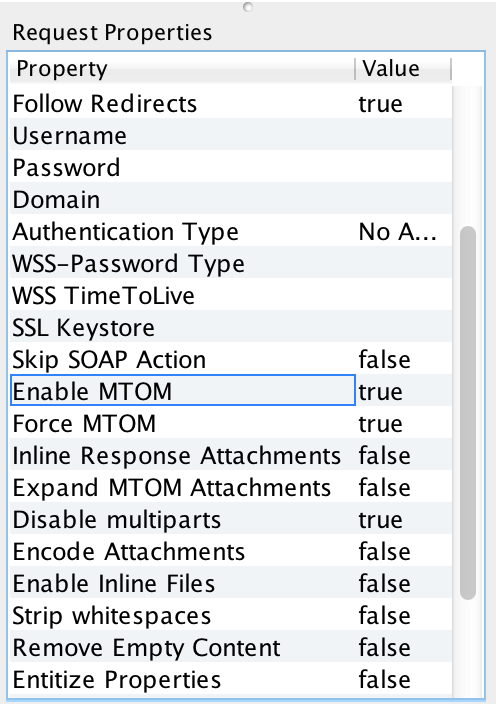
- Import your attachment in the bottom pane.
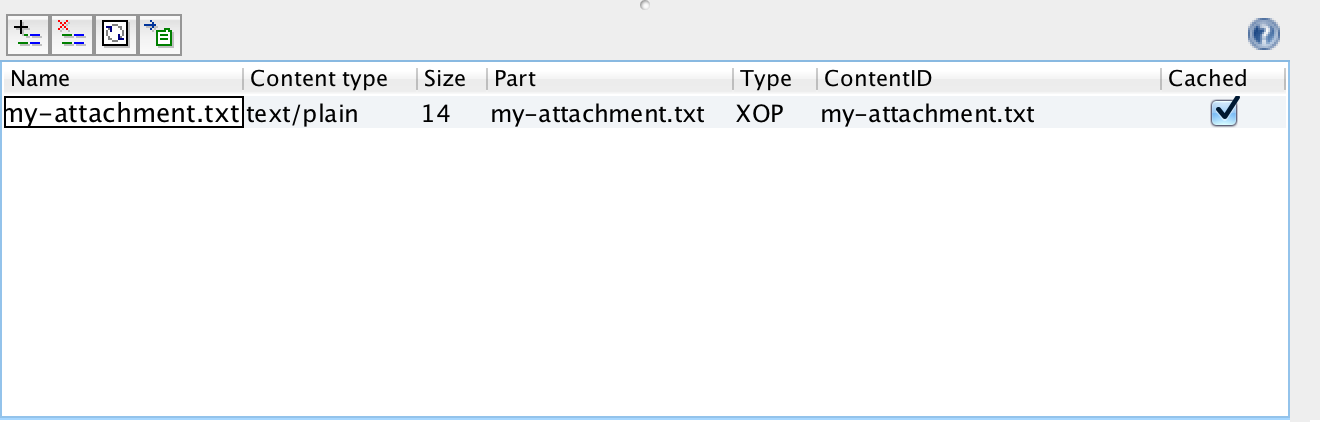
- Make sure to reference the attachment in your SOAP message using
cid:attachment-name.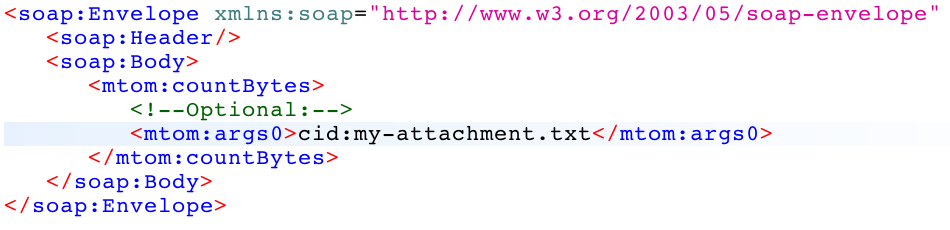
- Make sure the attachement part in the bottom pane is set and the attachment type is set to
XOP - Fire the request and observe the result !

Note: by clicking on the raw button in the request pane, you can have a look at the complete HTTP request.
POST http://localhost:8080/axis2/services/MtomService.MtomServiceHttpSoap12Endpoint/ HTTP/1.1
Accept-Encoding: gzip,deflate
Content-Type: multipart/related; type="application/xop+xml"; start="<rootpart@soapui.org>"; start-info="application/soap+xml"; action="urn:countBytes"; boundary="----=_Part_1_223849750.1433937520698"
MIME-Version: 1.0
Content-Length: 912
Host: localhost:8080
Connection: Keep-Alive
User-Agent: Apache-HttpClient/4.1.1 (java 1.5)


------=_Part_1_223849750.1433937520698
Content-Type: application/xop+xml; charset=UTF-8; type="application/soap+xml"; action="countBytes"
Content-Transfer-Encoding: 8bit
Content-ID: <rootpart@soapui.org>

<soap:Envelope xmlns:soap="http://www.w3.org/2003/05/soap-envelope" xmlns:mtom="http://itix.fr/soap/mtom">
   <soap:Header/>
   <soap:Body>
      <mtom:countBytes>
         <!--Optional:-->
         <mtom:args0><inc:Include href="cid:my-attachment.txt" xmlns:inc="http://www.w3.org/2004/08/xop/include"/></mtom:args0>
      </mtom:countBytes>
   </soap:Body>
</soap:Envelope>
------=_Part_1_223849750.1433937520698
Content-Type: text/plain; charset=us-ascii; name=my-attachment.txt
Content-Transfer-Encoding: 7bit
Content-ID: <my-attachment.txt>
Content-Disposition: attachment; name="my-attachment.txt"; filename="my-attachment.txt"

Hello World !

------=_Part_1_223849750.1433937520698--