
You can not select more than 25 topics
Topics must start with a letter or number, can include dashes ('-') and can be up to 35 characters long.
1.1 KiB
1.1 KiB
Generate labels with Libre Office
If not already done, install the "database" component of Libre Office.
sudo dnf install libreoffice-base
-
Launch Libre Office Base
-
Select Connect to an existing Database
-
In the dropdown list, select Text
-
Click Browse and select the users folder
-
Select Comma-separated value files (CSV)
-
Click Next > and Finish
-
Save the database somewhere
-
Launch Libre Office Writer
-
Click File > New > Labels
-
In the Database dropdown list, select your database
-
In the Table dropdown list, select users
-
In the Database field dropdown list, select username and click the left arrow.
-
In the Database field dropdown list, select password and click the left arrow.
-
In the Format tab, enter the dimensions of a credit card (8.56 cm x 5.40 cm).
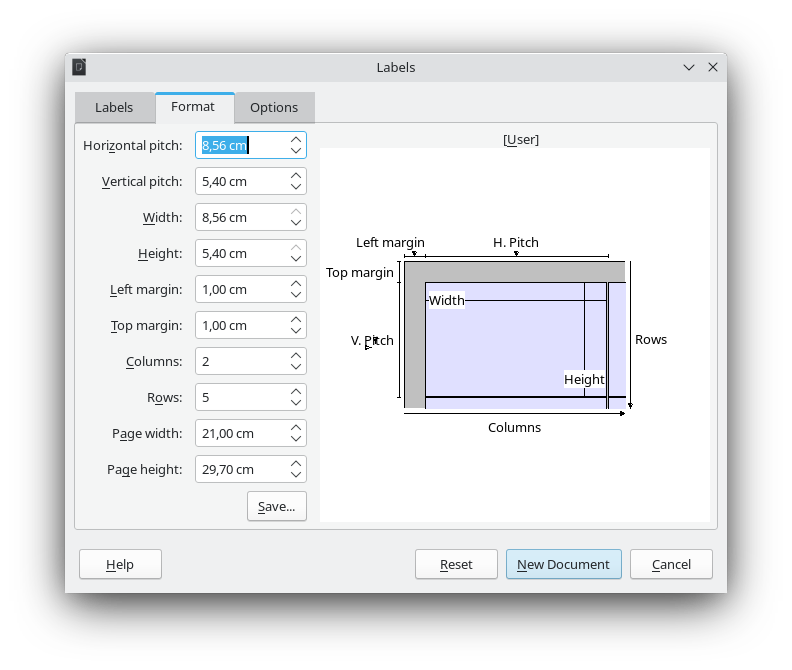
- In the Options tab, select Synchronize contents
- Click New Document
- Format it according to your liking
- Click Synchronize Labels
- In the Mail Merge toolbar, click Save Merged Documents
- Click Save Documents